
View
The view setting allows system administrators to assign view related configuration settings to the XIA Links Client.
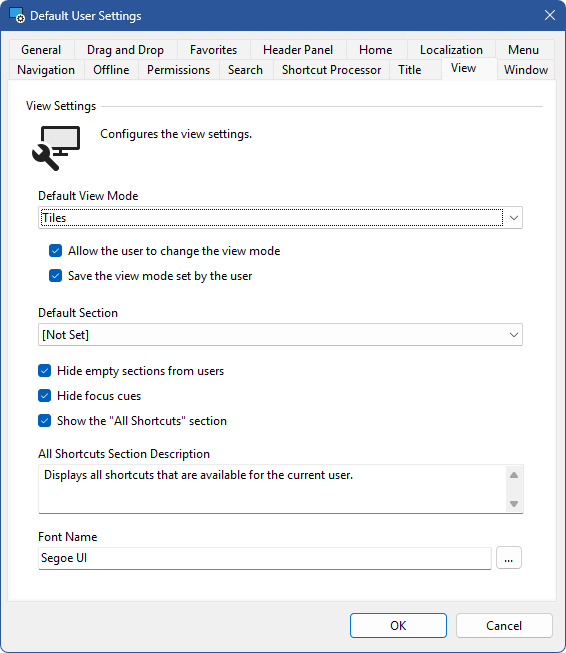
Default View Mode
Determines the default view mode.
Allow the user to change the view mode
Determines whether the user is allowed to change the view mode.
Save the view mode set by the user
Determines whether the view mode set by the user should be saved to the user registry settings when the user closes the XIA Links Client application.
Default Section
Determines which section should be displayed when the XIA Links Client is opened. This can be any user defined section or the built in all shortcuts section, or the home page.
Hide empty sections from the user
Determines whether empty sections should be hidden from the user within the navigation panel. This setting does not apply to system administrators.
Hide focus cues
Determines whether to disable focus cues for the favorites listview and shortcut viewer.
Show the "All Shortcuts" section
Determines whether the built-in all shortcuts section is enabled.
Font Name
The name of the font to use for the main user interface.
All Shortcuts Section Description
The description to display for the built-in all shortcuts section if enabled.